
Prorate first month's rent
Automatically prorate the first month's rent for new leases.
Go to Business > Settings > Accounting & Invoicing. By selecting 'Prorate first payment to end of month', Unit Trac will provide a suggested prorated amount for a lease's initial payment that pays the lease through the remainder of the current month based on the start date.
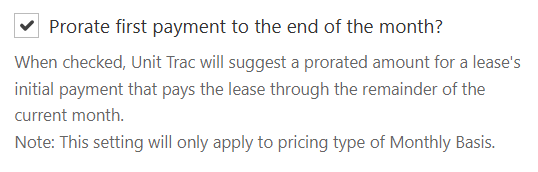
This will be come the default setting for new leases, but will not impact any current leases.
This will be come the default setting for new leases, but will not impact any current leases.
Do you want to charge for the current month + the next month? No problem.
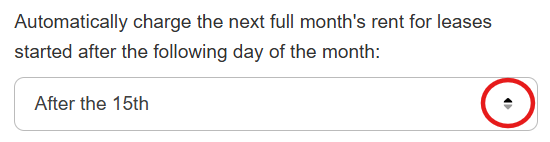
Simply select the day of the month that is your cutoff for charging the next full month of rent along with the prorated first month's rent when a new lease is started.
In the example setting below, Unit Trac will automatically add the prorated first month's rent, plus the next full month's rent to the initial invoice for any new lease started after the 15th of a month.
Simply select the day of the month that is your cutoff for charging the next full month of rent along with the prorated first month's rent when a new lease is started.
In the example setting below, Unit Trac will automatically add the prorated first month's rent, plus the next full month's rent to the initial invoice for any new lease started after the 15th of a month.